
Jump to
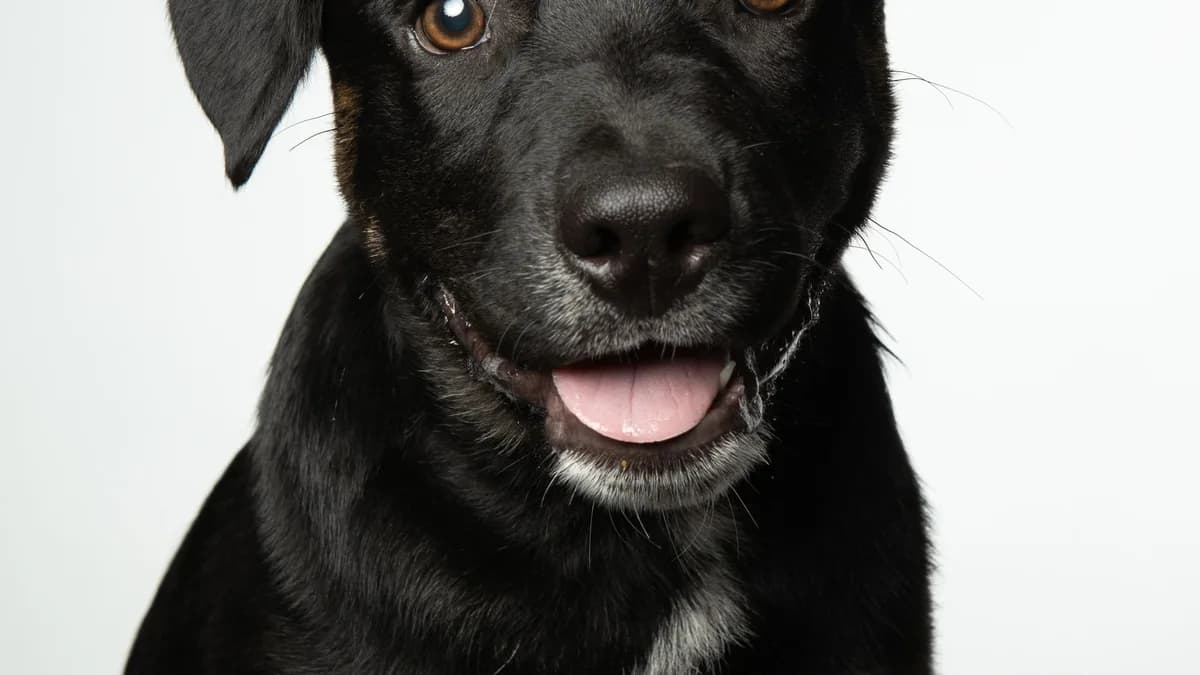
Pet photos are the hardest subjects for background removal. Fur creates thousands of tiny edges, ears have complex outlines, and pets never hold still. Here's how to get clean results anyway.
Why pets are tricky
- Fur is semi-transparent at the edges. Each strand creates a tiny edge that the model has to decide on.
- Ears and tails have complex outlines. Curved, pointed shapes with varying thickness.
- Pets move. Motion blur creates soft edges that confuse segmentation models.
- Similar colors. A white cat on a light background is a nightmare for any tool.
Photography tips for pet background removal
- Use natural light. Harsh flash creates red-eye and harsh shadows.
- Plain background. A solid-colored blanket or wall behind the pet.
- Contrast helps. Dark pet on light background, or vice versa.
- Get on their level. Shoot from the pet's eye height for better framing.
- Burst mode. Take 10-20 shots and pick the sharpest one.
Processing pet photos
- Upload the sharpest photo to a browser-based tool.
- Check the mask preview — look at ears, tail, and whiskers.
- If the edges are fuzzy, try a different photo from the burst.
- Download as transparent PNG.
Common issues and fixes
| Issue | Fix |
|---|---|
| Ears cut off | Crop tighter before processing — less background = less confusion |
| Fur looks jagged | Use a higher-resolution input photo |
| Whiskers disappear | These are the hardest — accept some loss or use Photoshop for refinement |
| Shadow included | Shoot with even lighting to minimize shadows |
Best use cases
- Pet portraits for gifts and prints
- Social media profile photos
- Pet business marketing materials
- Memorial photos
Getting fur edges right
Fur is the make-or-break detail in a pet cutout. A few habits dramatically improve the mask:
- Backlight the edges. A soft light behind the pet rims the fur so it separates from the background instead of blending in.
- Contrast the coat. Photograph a golden retriever against cool blue or grey, not beige — the bigger the color gap, the cleaner the per-strand decision.
- Fill the frame. More pixels across the fur boundary means more information for the model, so get close rather than cropping in later.
- Accept a soft halo on long coats. Border collies and huskies keep a faint fuzz that reads as natural fur, not error. The same per-strand techniques used for people apply here — see removing backgrounds from hair and fur.
Dark and black pets on dark backgrounds
A black cat on a dark sofa is the single hardest pet cutout, because the model can't find an edge where subject and background share tones.
- Change the background, not the pet. Move them onto a light throw, a white wall, or outdoors on grass.
- Add rim light. A lamp to one side draws a bright outline around the dark coat.
- Expose for the pet. Let the background blow out slightly; a brighter surround gives the model a clear boundary.
- Shoot RAW if you can. You will recover edge detail in the shadows that a dark JPEG has already crushed.
Action shots and motion blur
Pets rarely pose, and motion is the enemy of a crisp mask:
- Raise your shutter speed to at least 1/500s to freeze a running dog or a head shake.
- Use burst mode and keep only the sharpest frame — soft edges from blur become soft, unreliable masks.
- Watch the tail and ears, which move fastest and blur first even when the body is sharp.
- Good light enables speed. Fast shutter needs bright light, so shoot outdoors or near a big window rather than pushing ISO in a dim room.
For why sharp input produces sharp masks, the complete guide to background removal goes deeper on lighting and model behavior.
Frequently Asked Questions
How do I keep whiskers from disappearing?
Whiskers are thin and often lower-contrast than the background, so models drop them. Shoot against a contrasting backdrop, use a high-resolution image, and restore any lost whiskers with a quick manual touch-up.
What is the best background color for a light-colored pet?
A mid-to-dark, desaturated color such as charcoal, navy, or deep green. Avoid white for white pets and black for black pets; the tool needs a tonal gap to find the edge.
Can I remove the background from a photo of two pets together?
Yes, but crop around the pair or the individual you want first. Overlapping animals create the same ambiguity as overlapping people in group shots, so tighter framing helps.
Which tool should I use for pet portraits?
A browser-based background remover handles most pet photos; then use a photo resizer to fit print or social dimensions. For stubborn fur, finish with a manual touch-up.
Related tools
- Background Remover — works on pets, not just people
- Photo Resizer — resize for social media profiles
Keep reading

group photos ·
Removing backgrounds from group photos: a practical guide
How to isolate individual people from group photos for headshots, profiles, and composites.
Read
e-commerce ·
How to remove backgrounds from product photos for e-commerce
Step-by-step guide to creating clean product photos with transparent or white backgrounds for Etsy, Shopify, and Amazon.
Read
background removal ·
The complete guide to removing image backgrounds in 2026
Everything you need to know about removing backgrounds from photos — tools, techniques, AI models, and when to use each approach.
ReadConversation
Join the conversation
Share a useful question, correction, or practical tip. Comments are reviewed before they appear.
Loading…